To begin, you will need to log onto the admin panel of your website by typing in the address below:
http://www.[yourwebsitename.com.au]/wp-admin (e.g. http://www.stayingintouch.com.au/wp-admin)
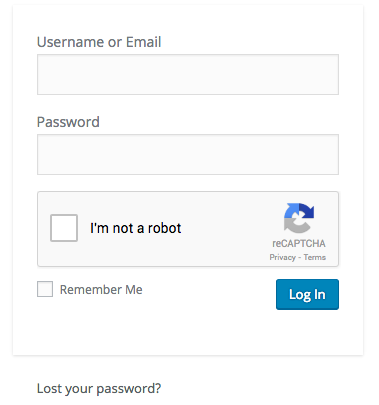
You will see the page above that requests your Username and Password. Enter your login details and check the box “I’m not a robot”. Some time checking this box will bring up a short picture test where you might have to ‘select all the images showing… XYZ”. Follow the prompts in the test. Then once completed proceed to click Log in. Your login details are usually sent to you by email once the website has been completed. Please contact us if you haven’t received such information or request changes on the login details.
From there, once logged in successfully you will be taken to the Dashboard.
