The Dashboard is the overview of your website, it provides you with access to all the areas of your site via the side bar on the left.
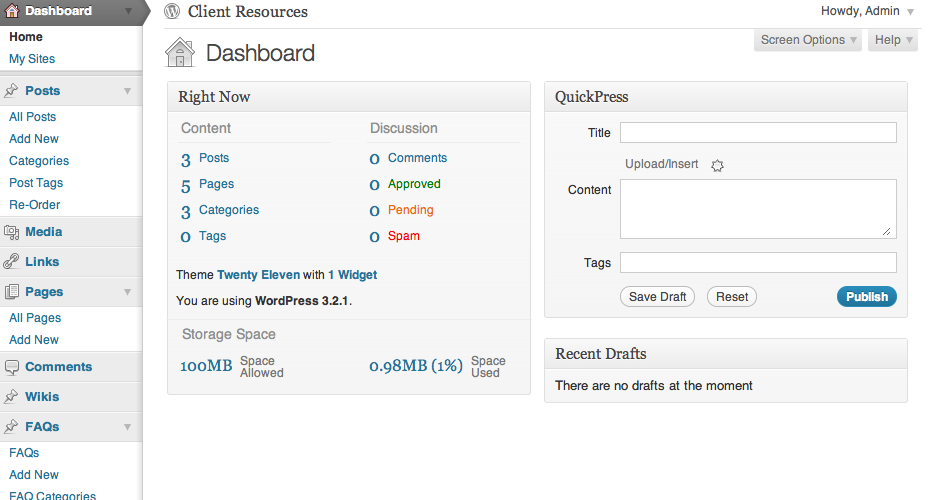
Your menu will reflect the areas of your site and will change from site to site depending on what areas you need / have permission to edit.
Menu items are almost always split into content, like Posts, followed by sub-pages like All Posts, Add New, Categories etc. When directed to a content section in these instructions, first locate the top level menu item, like Posts, click the drop down arrow to the right to expand the menu, then click whichever sub-page item that is referred to in the instructions, When in doubt, clicking the main heading (like Posts) will take you to a listing of all the content in that section and you can make your way from there.

Some areas may not be available to you, for example there may be some content on the site which we will restrict the editing of due to the technical nature of how it is developed. (In those cases it is best to check with us before assuming it’s impossible.)
From the Dashboard you can (if available) see the following menu items:
Any additional menu items will be specific to your site, they might include:
