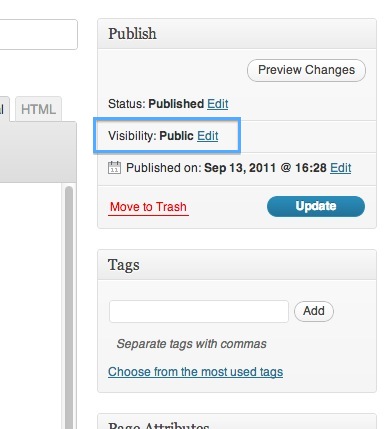
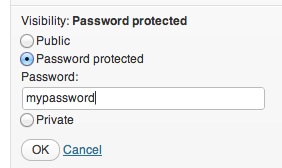
Follow these instructions if you want to password protect content on a particular page or post. Users given the password will be able to access the content until you change the password.
© 2021 Staying in Touch (Australia) Pty Ltd
ABN 51 924 577 918
design@stayingintouch.com.au